See who's really running ads.
Open any business's website, click one button, and find out whether they're advertising on Meta, Google, or TikTok — without opening three separate ad libraries and guessing at company names.
Checking the current site for ads



Three steps. No setup.
There's nothing to configure before your first check — AdQue reads the same public ad-library pages you could open by hand, just faster and all at once.
Open a business's site
Any website works — a competitor's, a prospective client's, your own. AdQue doesn't need you to already be on Facebook or Google.
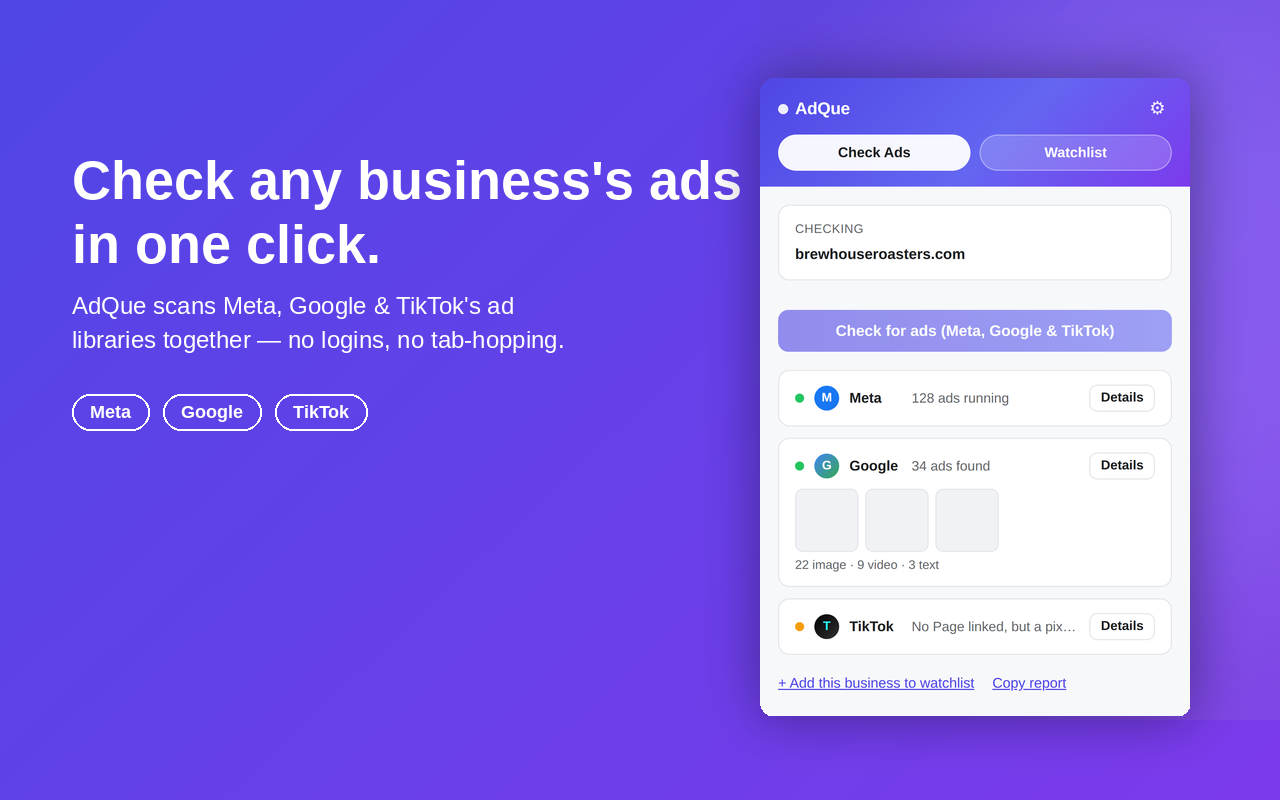
Click "Check for ads"
AdQue looks for a linked Facebook Page and TikTok account, checks the site's domain on Google, and scans for ad pixels — nothing runs until you click.
Read the results
Each platform shows a status and a count, with ad previews and thumbnails one click away. "Open" always gives you the manual page as a fallback.
The three platforms that matter most
Each one is checked differently, on purpose — AdQue verifies a real linked account before it searches, instead of guessing from a company name.
Meta
Finds the business's linked Facebook Page and resolves it to its exact Page ID, so results cover Facebook, Instagram, Messenger, and Audience Network placements together — the same Ad Library entry.
Reads the advertiser's Ads Transparency Center results for the site's domain, automatically normalized to the registrable domain so a subdomain doesn't come back empty.
TikTok
Scans for a linked TikTok profile, resolves its real display name, and searches the Commercial Content Library with it. Coverage is EEA, UK, and Switzerland only.
Built for anyone who needs to know who's advertising
Agencies & consultants
Pull a client or prospect's ad activity across three platforms before a pitch, without digging through each library by hand.
In-house marketers
Keep a Watchlist of direct competitors and get notified the moment one starts — or stops — running ads.
Sales & BDRs
Check whether a prospect is actively advertising before an outreach call — a quick, concrete talking point.
Brand & comms teams
Spot-check your own Page or domain the same way you'd check a competitor's — one button, no separate tool.
Track competitors over time, not just once
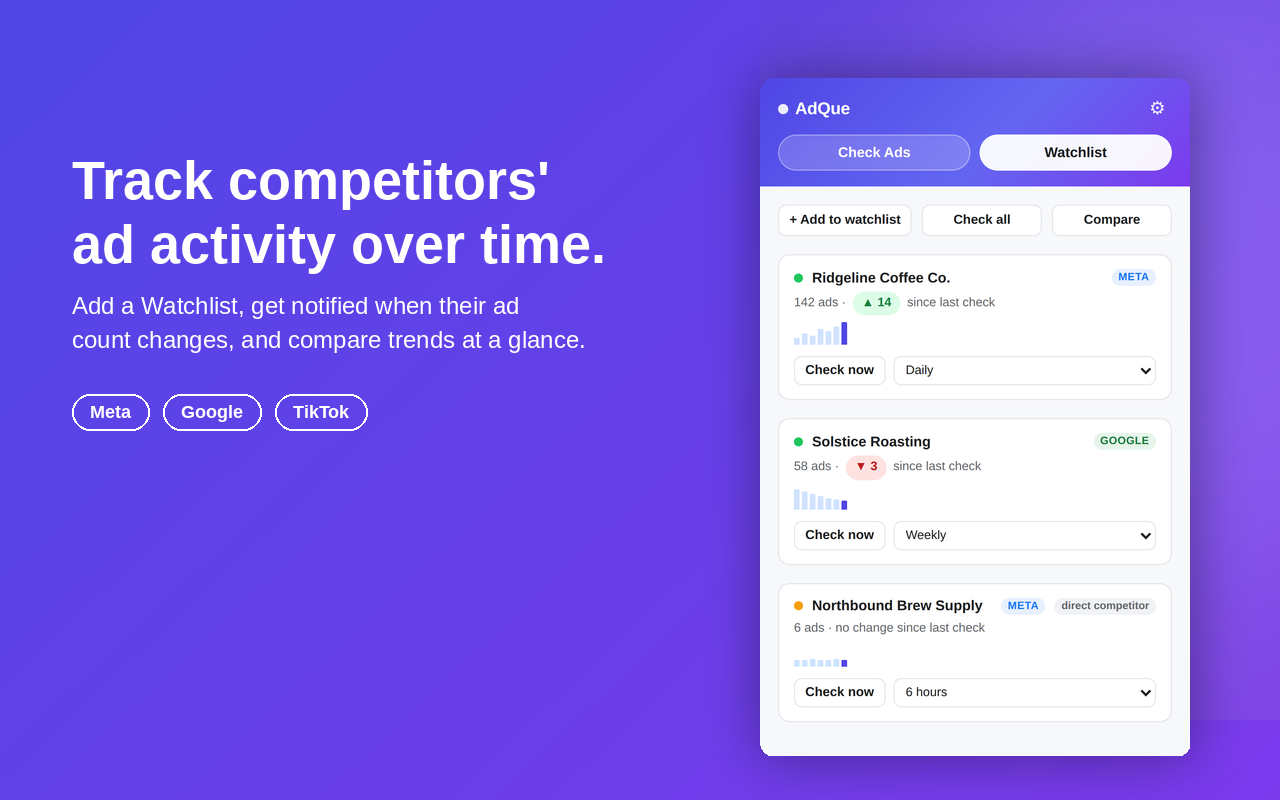
A single check tells you what's running today. The Watchlist tells you what changed.
Scheduled re-checks
Set a default cadence — every 6 hours, daily, or weekly — or override it per competitor. Pause any entry without deleting it. Or skip the popup entirely with the keyboard shortcut (⌘/Ctrl+Shift+U) or the toolbar right-click menu.
Sparklines & change alerts
Every entry keeps its last 10 checks as a small trend line, and you get a notification when a tracked ad count actually changes.
Compare side by side
Select two or three entries to see their current status, count, and trend next to each other, instead of scrolling to compare.
Export & import
Download your list as CSV or JSON with status, count, and tag included. Import a CSV in the same shape to bulk-load a competitor list.
Tags & filtering
Label competitors as you add them — a filter dropdown appears automatically once any entry has a tag.
Ad pixel detection
Checks for Meta, Google, TikTok, X, Snapchat, Microsoft, LinkedIn, and Pinterest pixel signatures — corroborating context when no public link is found.
It only looks at what you point it at
AdQue reads public transparency pages — the same ones anyone can open in a browser tab. Nothing about how you use it leaves your machine.
No external servers
Every check happens in a background browser tab. There's no AdQue server collecting results, and no analytics or telemetry of any kind.
No accounts, no API keys
Nothing to sign up for and nothing to configure. AdQue reads public pages the same way you would, just automatically.
Minimal permissions
Host permissions are scoped to the platforms being checked — nothing broader than the extension actually needs to work.
Good to know
No. AdQue reads the same public Ad Library and Transparency Center pages you could open yourself — no tokens, no login required.
No. Every check runs inside your browser. There's no external server collecting results, and no analytics or telemetry of any kind.
TikTok's Commercial Content Library only covers the EEA, UK, and Switzerland. A "no ads" result there doesn't rule out ads running elsewhere.
No. It's an independent tool that reads each platform's own public transparency pages — it isn't built or endorsed by Meta, Google, or TikTok.
Then that platform shows as "not linked" rather than a guess — AdQue only reports what it can verify, plus any ad pixel it detects as corroborating context.
Yes. Open any business's site, click "Check for ads," and AdQue looks for linked accounts and pixels automatically — you don't need to already be on Facebook or Google.
Stop guessing whether they're advertising.
Free, no account, checks three platforms in one click.
Add to Chrome — it's free